MahaRERA Project Search 2026: How to Verify Any Mumbai Flat's Builder & Project Before You Buy

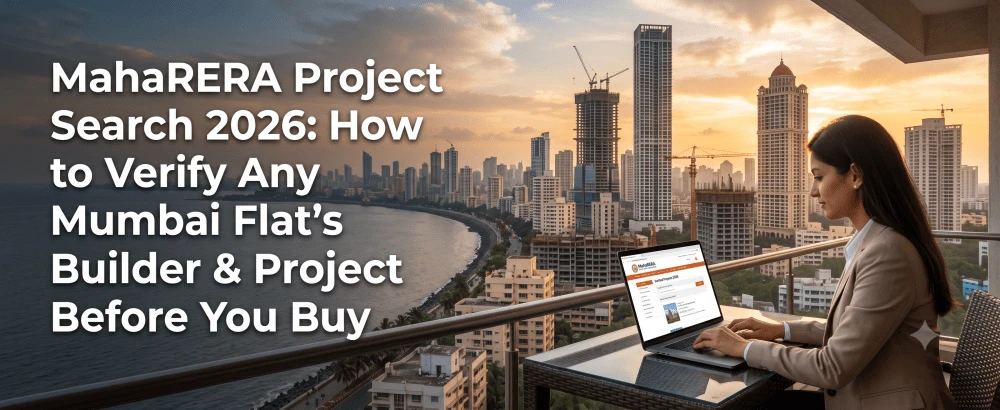
MahaRERA Project Search 2026: How to Verify Any Mumbai Flat's Builder & Project Before You Buy (Step-by-Step)
A flat is the biggest purchase most people will ever make - and in Mumbai, it can run into crores. Yet a surprising number of buyers commit their life savings on the strength of a glossy brochure, a persuasive site visit and a builder's verbal promise of possession in 24 months. The single most powerful protection against a delayed, disputed or outright fraudulent project is free, public and available in minutes: a MahaRERA project search.
This guide shows you exactly how to run a MahaRERA project search in 2026, what every field on the portal actually tells you, and the red flags that should make you walk away. Whether you are buying your first 1BHK or upgrading to a 3BHK, learning to verify a project on the MahaRERA website before you pay a single rupee is the most important due-diligence skill a Mumbai homebuyer can have.
What Is MahaRERA and Why Every Flat Buyer Must Use It
MahaRERA (Maharashtra Real Estate Regulatory Authority) is the state body created under the Real Estate (Regulation and Development) Act, 2016 to bring transparency and accountability to property transactions. Its central rule is simple and powerful: any residential project above a defined size must be registered with MahaRERA before it can be advertised or sold. Developers must disclose approvals, timelines, project finances and construction progress - and they are legally accountable for what they declare.
For you, the buyer, that turns a leap of faith into a verifiable checklist. A MahaRERA project search lets you confirm that the flat you are eyeing sits inside a legally registered project, run by a promoter whose track record and pending disputes are on the public record. If a project is not registered, that is not a technicality to overlook - it is a reason to stop.
Before You Search: What You Need
You do not need to create an account to look up a project. To run an effective maharera search, keep any one of these handy:
- The MahaRERA registration number (usually printed on the brochure, hoarding, or the project's advertising - it looks like `P51700xxxxxx`).
- The project name as marketed.
- The promoter / builder name.
If a salesperson cannot give you the registration number, ask why. Every registered project has one, and reputable developers display it openly.
How to Do a MahaRERA Project Search: Step-by-Step (2026)
Follow these steps to pull up maharera project details for any flat you are considering.
Step 1: Go to the Official MahaRERA Website
Open maharera.maharashtra.gov.in in your browser. Bookmark it - this is the only source you should trust for verification. Avoid third-party "RERA search" sites for the final check; use them for convenience, but confirm on the official portal.
Step 2: OpenRegistered Projects
From the menu, go to the Registration section and select Registered Projects (on the homebuyer-facing layout this often sits under a "Home Buyers" tab). This opens the public search interface. You can also reach a project search without logging in - verification does not require an account.
Step 3: Search by Number, Project or Promoter
You have three ways to find a project:
- By RERA registration number - the fastest and most accurate. Enter the number and you land directly on the correct project.
- By project name - useful when you only have the marketing name; filter by district (e.g. Mumbai Suburban, Thane, Raigad) to narrow results.
- By promoter name - the power move. Searching the *builder* pulls up their entire portfolio of registered projects, letting you assess their whole track record, not just the one they are selling you.
Step 4: Open the Project Dashboard and Read Every Section
Once you open a project, MahaRERA shows a detailed dashboard. This is where the real due diligence happens - the next section breaks down what each part means.
Reading MahaRERA Project Details: What Each Field Tells You
A maharera project details page is dense, but a few sections matter most to a buyer.
Registration status and validity. Confirm the project is registered and the registration has not lapsed. Note the registration date.
Proposed date of completion. This is the legally declared possession date. A developer who overshoots it can be held accountable - and this date is your benchmark when a salesperson makes verbal promises.
Promoter details. Name, PAN, contact information and the promoter's other registered projects. Cross-check: does the builder have a history of completing projects on time, or a trail of delayed and extended ones?
Approvals and plans. Statutory approvals obtained, and - crucially - any changes made to the approved plan. Amendments to a sanctioned layout can affect what you are actually buying.
Financial disclosures (Form 5). More on this below - it reveals whether the developer is keeping the project financially healthy.
Extensions and complaints. Any extensions granted to the project's validity, complaints filed, and recovery warrants issued against the promoter.
The Litigation & Complaints Check: The Section Buyers Skip (and Shouldn't)
On the project dashboard, look for the Litigations or Complaints section. This is arguably the most revealing part of the entire search, and it is the one most buyers never open.
It lists disputes involving the project: the court or forum where a case is pending, the case number and year, the type of case, the petitioner, whether an order has been passed, the current status, and links to case documents. A long list of complaints - especially around delayed possession or refunds - is a serious warning sign. If cases exist, download the PDFs and read them; understanding *why* buyers complained tells you far more than any brochure. A clean litigation record, by contrast, is one of the strongest signals of a trustworthy developer.
Understanding Form 5: The CA-Certified Financial Health Check
MahaRERA Form 5 is an annual audit report a developer must file for each registered project, certified by a chartered accountant. In plain terms, it is the project's financial health certificate. It declares how much money has been collected from buyers, how it has been spent, the balance held in the project's designated escrow account, and the withdrawals made during the year - alongside construction milestones achieved and pending.
Why should a flat buyer care about an accountancy form? Because most stalled projects fail for financial reasons, not construction ones. If a developer is diverting funds or the escrow balance does not line up with construction progress, Form 5 is where it shows. Reviewing it - even at a glance for red flags - tells you whether the project has the money to actually reach possession.
The QR Code Shortcut: Verify a Project in Seconds
Since MahaRERA mandated QR codes on project registration certificates, verification has become almost effortless. Every newly registered project must display a QR code prominently on its advertising and certificate.
Here is how to use it:
- Get the project's registration certificate (from the developer or the MahaRERA portal).
- Open your phone camera or any QR scanner app and scan the code.
- Instantly view the project name, promoter details, registration and completion dates, statutory approvals, plan changes, extensions, complaints and Form 5 financial data.
If a project advertises with a QR code, scan it on the spot during your site visit. If the code is missing on a newly launched project, treat that as a prompt to verify manually on the portal - and to ask the developer why.
Red Flags That Should Make You Walk Away
Run your MahaRERA project search and stop if you see any of these:
No RERA registration at all, or a registration number that returns no result on the official portal.
- A lapsed registration that has not been renewed.
- A pattern of delayed projects across the promoter's portfolio, with repeated validity extensions.
- A thick litigation/complaints file, especially involving possession delays or refund disputes.
- Form 5 inconsistencies - collections that do not match construction progress, or unexplained withdrawals.
- Unexplained changes to the approved plan that alter what you were promised.
None of these guarantees a bad outcome on their own, but any of them warrants hard questions before you proceed.
MahaRERA Portal vs Third-Party RERA Search Sites
What a MahaRERA Search Won't Tell You (and How to Cover the Gap)
Your 10-Minute Verification Routine
Make this a habit for every flat on your shortlist:
- Get the RERA registration number from the developer.
- Look it up on maharera.maharashtra.gov.in.
- Confirm the registration is valid and note the proposed completion date.
- Search the promoter name to review their full track record.
- Open the Litigations/Complaints section and read anything that's there.
- Glance at Form 5 for financial red flags.
- Scan the project QR code during your site visit.
Seven steps, ten minutes, and you have replaced blind trust with verified fact.
The Bottom Line for Mumbai Flat Buyers
A MahaRERA project search takes ten minutes and can save you from years of stress and lakhs - even crores - in losses. Confirm registration, read the completion date, search the builder's full portfolio, open the litigation section, glance at Form 5, and scan the QR code. Do that on every shortlist, every time, before any payment.
At Blox, we do this legwork for you: every project listed is RERA-registered and verified on the MahaRERA portal, so you start from a foundation of legally sound, transparent inventory. Explore verified flats across Mumbai, Navi Mumbai and the MMR - with prices, plans and legal checks in one place - at Blox.
Frequently Asked Questions
Can I do a MahaRERA project search without logging in?

How do I check a builder's track record on MahaRERA?
Is a project safe to buy just because it is RERA registered?

Get in Touch
Let our experts help you answer your questions

 +91
+91


Get in Touch
Let our experts help you answer your questions
+91